
The authentication layer for self‑custody.
The industry authenticates the transaction. GeoSafe authenticates the user. For the wallet you already have.
Wallet or exchange?The chain checks the key, not the person.
Anyone holding your seed phrase is you, as far as the blockchain can tell. Nothing checks it came from your phone. GeoSafe does.
A Vault under the wallet you already have.
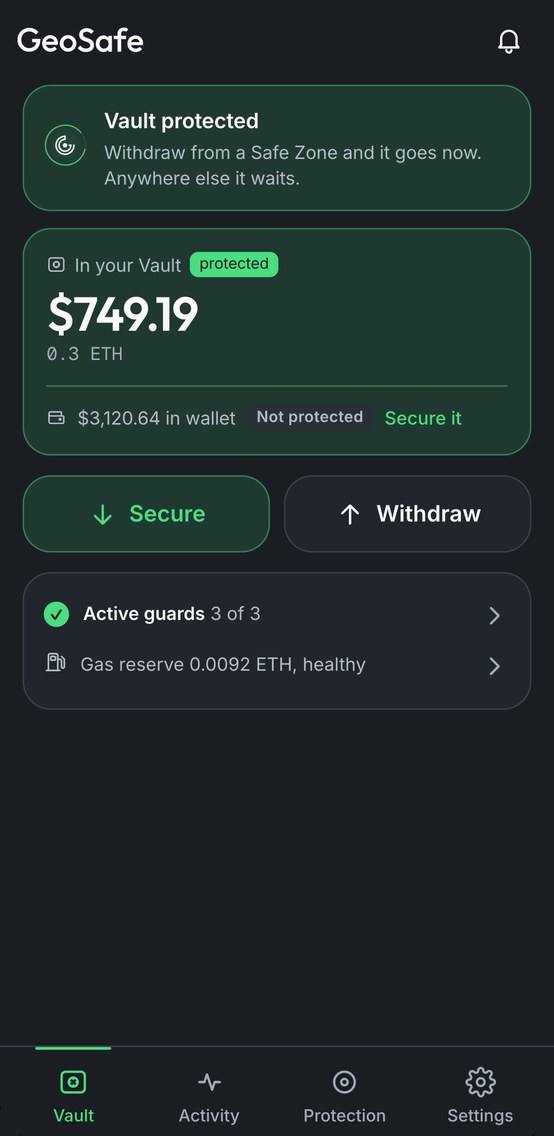 01
01Protect
Move what you want protected into your Vault. The rest of your wallet works as before.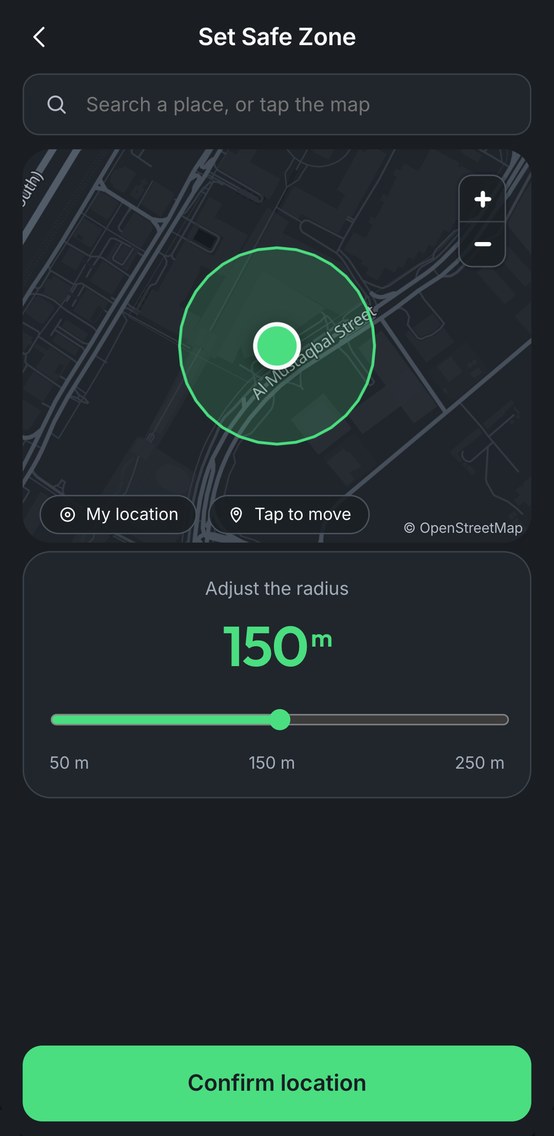 02
02Pick your Safe Zone
Inside it, approve on your phone and the withdrawal goes now. Anywhere else, it waits.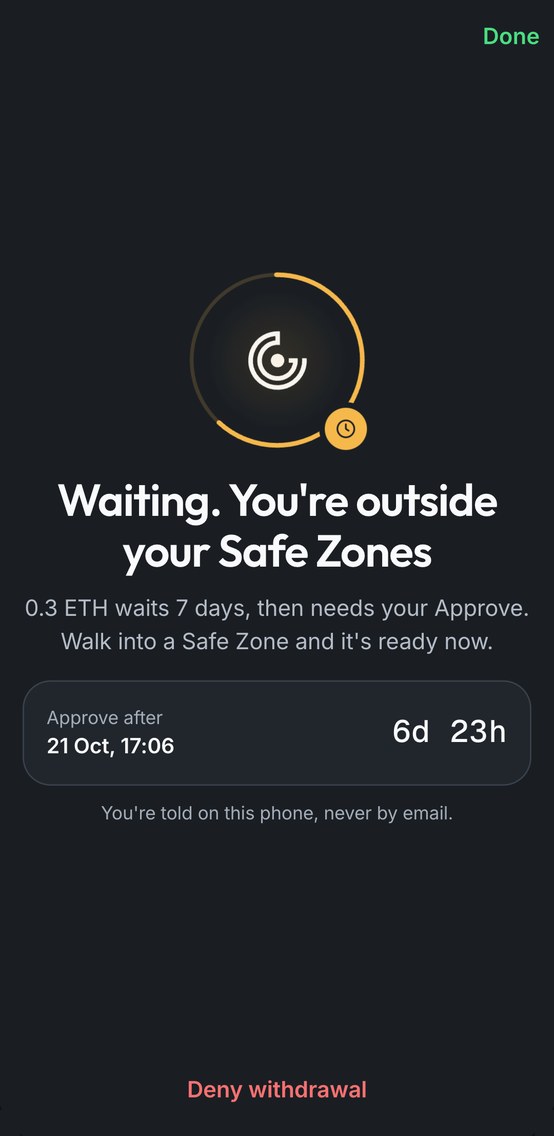 03
03Away, it waits
You're told on your phone. Deny it, or approve when the wait ends.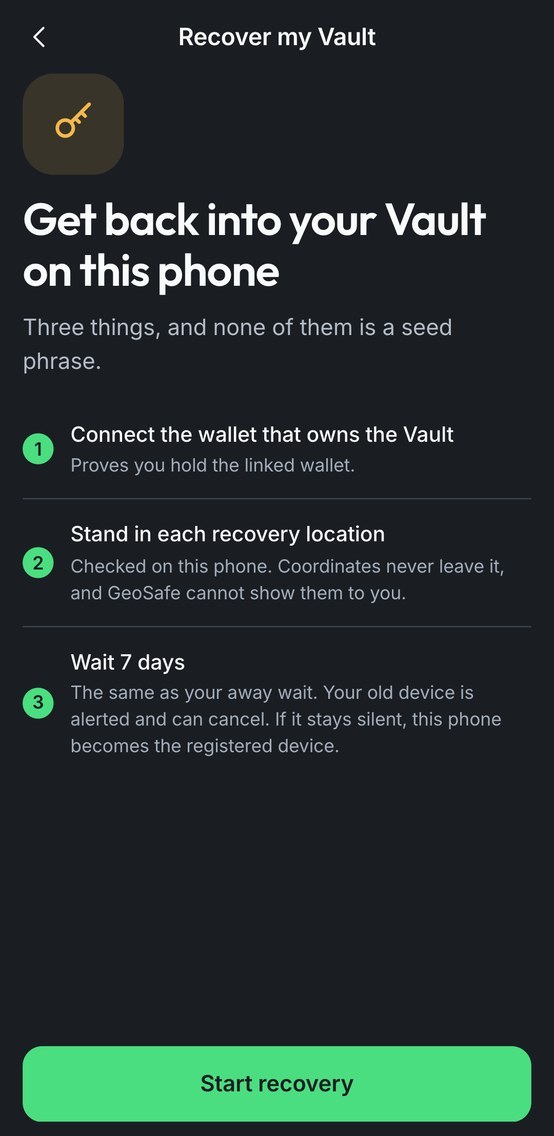 04
04New phone, no seed phrase
Lost your phone? Your linked wallet and recovery places bring it back, after the same wait as a withdrawal.
Screens from the GeoSafe app and demo, on a test network.
A stolen seed phrase isn't enough.
They try from their phone. The request lands on yours. A simulation, tap to try it.
The safest thing about GeoSafe is what it can't do.
A stolen seed phrase can start a withdrawal, but it can't approve one. Approval needs your phone. Moving your Vault to a new phone needs your linked wallet, your recovery places and a wait of up to 14 days your phone can cancel.
Things can go wrong. That's what the wait is for.
Before you trust it.
What if GeoSafe disappears?
Your Vault's rules live in its smart contract on Ethereum, not on our servers. We'll publish the exact exit path before the beta scales.
Can GeoSafe see where I am?
No background tracking. Your phone checks its location at the moment you tap Approve. Your recovery places never leave your phone. They're turned into a key, not saved as a map, so GeoSafe can't show them to anyone, including you.
I travel. Will my money be stuck?
Away from your Safe Zone, a withdrawal waits for the time you set (7 days by default). Then you can approve it from anywhere.
Which wallets and phones?
Wallets that connect with WalletConnect, on Ethereum first. iOS first: leave your email and we'll tell you when Android is ready.
What if I lose my phone or my places?
New phone: connect your linked wallet, stand in your recovery places and wait as long as your away wait (up to 14 days); your old phone is told and can cancel. If you lose your recovery places, recovery can't go ahead, so keep them somewhere you'll remember.
What if someone forces me at home?
You can turn off instant approval for any Safe Zone, so every withdrawal waits. Changes to your protection, including turning it off, also take effect after a delay.
Join the beta.
The iOS beta runs on TestFlight, on a test network, and a smart-contract audit comes before it scales. Leave your email and we'll send your invite as places open.